

Use Casii MCP in Claude Code
A single claude mcp add command registers Casii MCP in Claude Code.
Prerequisites
- Claude Code installed and signed in.
- An API key created in the dashboard — the MCP URL is already filled into the quick reference below.
Connection quick reference
The quick reference already contains your MCP URL; just replace YOUR_API_KEY with your key, then paste into Claude Code.
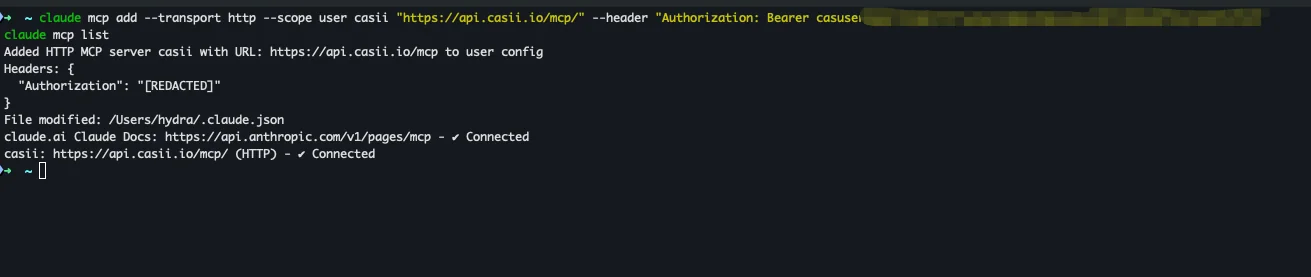
claude mcp add --transport http --scope user casii "https://api.casii.io/mcp/" --header "Authorization: Bearer YOUR_API_KEY"
claude mcp list
Keys in the screenshots are masked — use your own API key when you set things up.
Setup steps
-
Run claude --version to confirm it is installed; otherwise run npm install -g @anthropic-ai/claude-code first.

-
Copy the two commands from the quick reference below (click "Fill in my API key" first) and run them in your terminal: claude mcp add registers Casii (--scope user applies it to all projects), and claude mcp list checks the connection — the casii line showing ✔ Connected means it worked.
-
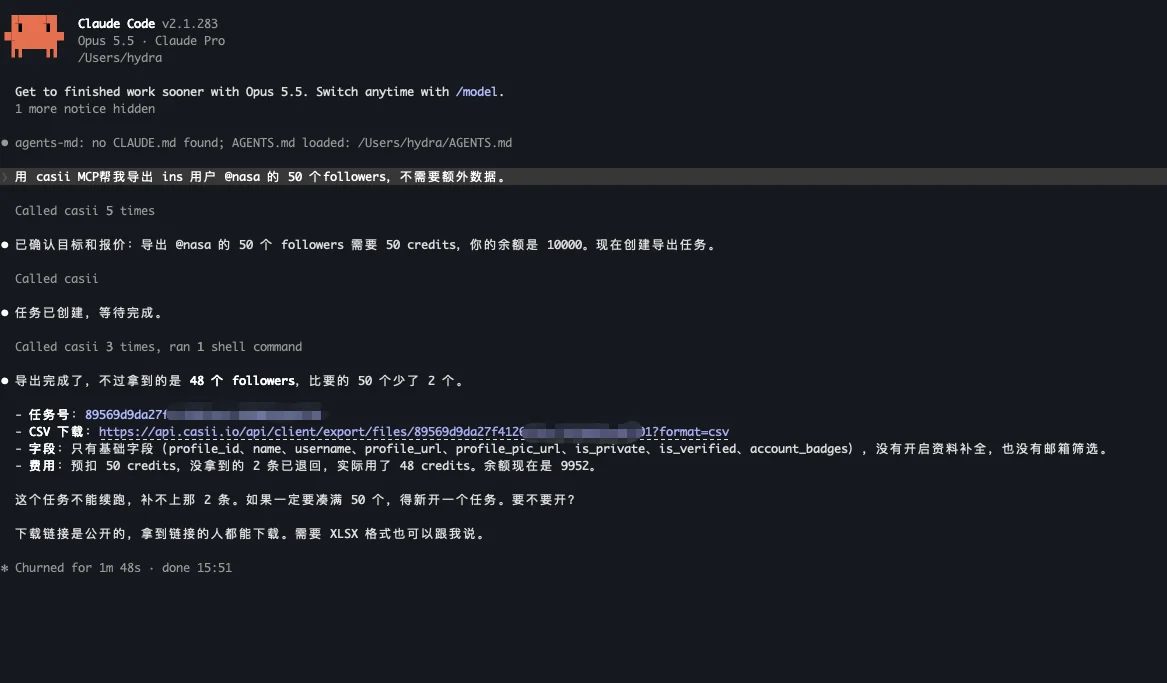
Type claude in the terminal to open Claude Code, then ask for your export in plain language (you can copy the example below). The AI calls Casii to detect the target, quote and create the task, then reports the row count, credits charged and a CSV download link.
Verify it works
Ask for an export directly in Claude Code, e.g.:
Use casii MCP to export 50 followers of Instagram user @nasa for me; no extra data needed.
The first call asks for tool permission; after that the AI handles detection, quoting and creation automatically. Creating and resuming must carry a stable idempotency key (idempotency_key, UUID format) generated once: retrying with the same key and the same parameters returns the original tasks and never charges twice; only changed parameters make it a new operation with a new key.
No API key yet?
Create one on the dashboard API Keys page, then follow the steps above to connect.